Guides / USB-C audio
- Research-based
- Not hands-on tested
Apple EarPods (USB-C)What the Apple documentation says before you buy
Based on Apple’s official product page, Apple Support articles, and the official user guide (PDF) — not on hands-on testing. Apple’s marketing language is labeled as Apple’s wording.
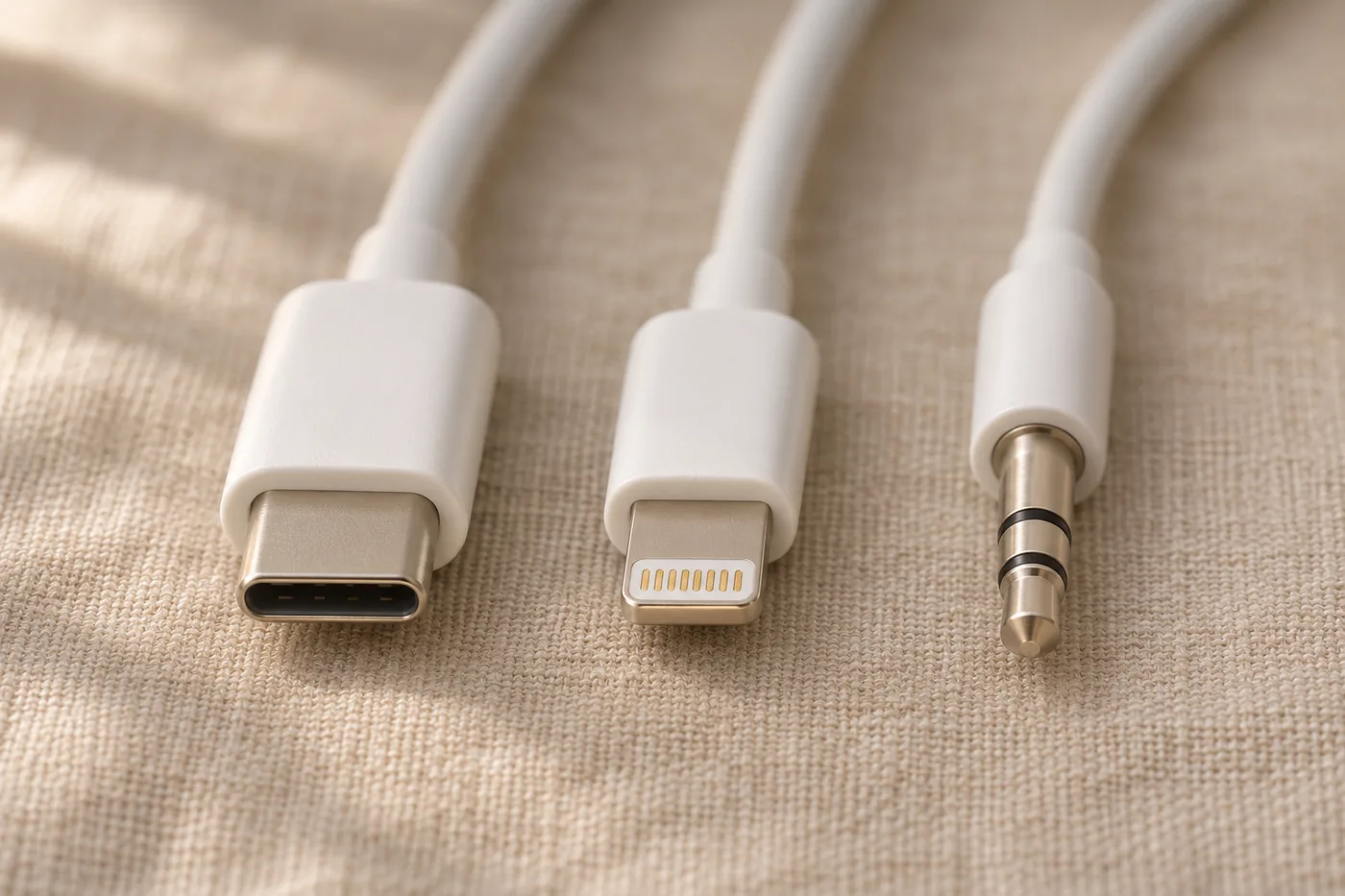
Quick take · At a glance
A simple wired USB-C headset for recent Apple devices — if your setup matches.
According to the Apple product page: USB-C iPhone with iOS 17 or later; USB-C iPad with iPadOS 16.4 or later; USB-C Mac with macOS Monterey 12.6 or later.
Good fit when your port, operating system, and daily use match what Apple documents. Skip it for Lightning devices, a port you need free, swim or shower use, or a non-Apple device where you need confirmed compatibility.
Affiliate disclosure: The button below links to the Apple EarPods (USB-C) listing on Amazon. As an Amazon Associate I earn from qualifying purchases. The link does not change the price you pay. How we make money
Check current price on AmazonCheck the Apple live compatibility list before you buy — model lists change. Non-Apple behavior is not verified here, not declared incompatible.
USB-C iPhone 15+ (iOS 17+), USB-C iPad (iPadOS 16.4+), or USB-C Mac (macOS 12.6+) owners who want plug-in simplicity
Lightning device, need the port free, need a swim/shower rating
USB-C port and the listed OS version — both together
The earbuds only — no case, adapter, or battery
Decide in 30 seconds
Who it’s for — and who should skip it
Who this is for
- You have a USB-C iPhone 15 or later on iOS 17 or later, a qualifying USB-C iPad on iPadOS 16.4 or later, or a qualifying USB-C Mac on macOS Monterey 12.6 or later — all per Apple.
- You want a simple wired headset with documented volume, playback, call, and Siri controls, and would rather skip Bluetooth pairing and a headphone battery.
- You don’t mind the earbuds occupying your device’s USB-C port while they are plugged in.
Sounds like you? Confirm your exact device below, then check Apple’s live model list.
Run the Fit Check
Who should skip it
- Lightning iPhone or iPad. This model needs a USB-C port. Apple documents EarPods with Lightning Connector as the same-family alternative for Lightning devices on iOS 10 or later.
- USB-C but an older OS. Apple’s requirement is port and OS version together.
- Android, Windows, or another non-Apple USB-C device, if you need confirmed compatibility or confirmed remote, mic, or Siri behavior. Apple does not document that in the sources reviewed here.
- You need the USB-C port free for charging or another accessory, or you’d rather not be tethered by a cable.
- You need a swim- or shower-rated headset. Apple publishes no IP rating and says not to run EarPods under water.
- You already like 3.5 mm headphones you own. Apple separately sells a USB-C to 3.5 mm Headphone Jack Adapter. This guide has not tested that adapter and does not link a specific listing for it.
Your device vs. Apple’s requirements
Fit Check
This Fit Check restates Apple’s documented requirements and the gaps in those documents. It is not a lab result and not a guarantee that a device will or will not work in every setup.
USB-C iPhone on iOS 17 or later
What official docs sayApple’s product page lists iPhone models with USB-C running iOS 17 or later (iPhone 15 and later have USB-C, per Apple Support 105099). Check Apple’s live model list; it changes as new devices ship.
USB-C iPad on iPadOS 16.4 or later
What official docs sayApple’s product page lists iPad models with USB-C running iPadOS 16.4 or later.
USB-C Mac on macOS Monterey 12.6 or later
What official docs sayApple’s product page lists Mac models with USB-C running macOS 12.6 or later.
Android phone, Windows computer, or other non-Apple USB-C device
What official docs saySupport article 108042 mentions “other device that has a USB-C connector” without naming platforms or confirming controls. Amazon’s listing says it works with all USB-C devices; that is marketplace wording, not Apple’s product-page requirement.
Need to charge an iPhone while listening
What official docs sayOn iPhone 15 and later, EarPods and charging share the same USB-C port, so using the EarPods occupies it. This is a port-sharing fact, not a lab test.
Lightning iPhone, Lightning iPad, or a Mac without USB-C
What official docs sayThis model is built to plug into USB-C. Whether an adapter could bridge it is not verified in the sources for this guide.
USB-C device on an older OS than Apple lists
What official docs sayThe stated requirement is port and OS together. Meeting only one is not enough.
Need a swim, shower, or submersion rating
What official docs sayApple lists “protection from sweat and water,” publishes no IP rating in the sources reviewed, and instructs users not to run EarPods under water.
The basics
What they are & compatibility
EarPods (USB-C) are Apple’s wired earbuds with a USB-C connector instead of Lightning or 3.5 mm, introduced in 2023 per Apple’s manuals page. The box contains “EarPods with USB-C Connector” only — no case, no extra cable, and no rechargeable battery or charging step described in the official user guide.
iPhone
USB-C · iOS 17 or lateriPhone 15 and later have the USB-C connector, per Apple Support 105099
iPad
USB-C · iPadOS 16.4 or laterPer Apple’s product page
Mac
USB-C · macOS Monterey 12.6 or laterPer Apple’s product page
Apple’s product page keeps a live list of exactly which models qualify, and that list changes as new devices ship. Check that list rather than trusting a static model name in an article.
A broader claim on one Apple page — and why it isn’t the full picture
Apple Support article 108042 says you need “an iPhone, iPad, or other device that has a USB-C connector” — broader than the product page’s OS-specific requirements and the user guide’s iPhone, iPad, or Mac framing. Apple doesn’t name which non-Apple devices this covers, or confirm whether volume, call, mic, or Siri controls work on one. That silence isn’t proof the earbuds fail elsewhere — it just means Apple hasn’t documented it. Amazon’s listing goes further, saying it “works with all devices that have a USB-C port,” which is marketplace wording, not an Apple spec. Treat non-Apple behavior as unverified, not assumed either way.
Apple’s marketing claims, labeled
Apple says the ear-shaped design makes them “more comfortable for more people than any other earbud-style headphones,” with speakers engineered for “high-quality audio” and “deep, rich bass tones.” These are Apple’s marketing claims, not independent findings — this guide has not evaluated sound or comfort firsthand.
How you use them
Controls, microphone, and wired vs. wireless
The inline remote has volume-up, a center button, volume-down, and a microphone on the opposite side. Center-button actions, per the official user guide:
- One quick press plays or pauses audio, or answers or ends a call
- Two quick presses skip forward (press and hold afterward to fast-forward)
- Three quick presses go back, only while audio is already playing (press and hold afterward to rewind)
- Press and hold for a few seconds to decline a call
- Press and hold until you hear a beep, then speak, to ask Siri
Setup is simply plugging into an iPhone, iPad, or Mac — no Bluetooth pairing, and no charging step for the earbuds. On an iPhone 15 or later, EarPods and charging share the same USB-C port, so plugging them in occupies it as a practical matter, not a lab-tested limitation. Apple separately documents AirPods, other Bluetooth devices, or AirPlay as port-free alternatives with their own pairing and charging needs. Those products are not compared here.
Fine print, made readable
Limits worth reading before you buy
Sweat, water & cleaning
Apple lists “protection from sweat and water” but publishes no IP rating in the sources reviewed, and instructs against running EarPods under water or getting liquid in the openings. Clean with a soft, dry, lint-free cloth, and dry both the earbuds and your skin after sweat, sunscreen, or similar exposure. Based on what Apple publishes, treat these as not rated for swimming or showers.
Materials noted by Apple
Apple Support article 101598 states that the stainless steel acoustic mesh of EarPods contains some nickel. Apple says the amount falls below European REACH nickel restrictions, but people who are susceptible to nickel-related reactions should be aware. The same article says EarPods contain trace amounts of acrylates and methacrylates from adhesives, and that if redness, swelling, itchiness, or other irritation occurs, you may want to consult a physician before using the device again.
Warranty
Warranty terms were not stated in the sources reviewed for this guide. Check Apple’s current warranty information before you buy.
Categories, not a ranked list
Consider instead
These are documented alternatives or adjacent options, not test winners, and this guide does not include affiliate links for them.
EarPods with Lightning Connector
Apple documents this model for iPhone, iPad, or iPod touch devices that have a Lightning connector and run iOS 10 or later. It is the sourced same-family option for Lightning devices.
A USB-C to 3.5 mm headphone adapter
Apple sells a USB-C to 3.5 mm Headphone Jack Adapter for connecting existing 3.5 mm headphones to a USB-C port. This guide has not tested that adapter.
Wireless or AirPlay listening
Apple separately documents AirPods, other Bluetooth devices, or AirPlay as ways to listen that leave the USB-C port free. Those options have their own pairing, charging, and compatibility requirements and are not reviewed here.
Quick answers
FAQs
Do EarPods (USB-C) work with any USB-C device?
Not confirmed. Apple names Mac, iPad, and iPhone with specific OS versions. One Apple page uses broader wording without naming non-Apple platforms or confirming controls there. Amazon’s wording is broader still. Treat non-Apple compatibility as unverified.
Can I use these with a Lightning iPhone or iPad and an adapter?
Unverified in the sources for this guide. Lightning devices lack the USB-C port this model is built for. Apple’s documented alternative is EarPods with Lightning Connector.
Can I charge my iPhone while using these?
On iPhone 15 and later, EarPods and charging share the same USB-C port, so using the EarPods occupies it. This is a practical port-sharing note, not a published lab test.
Are they waterproof, or safe for swimming?
Apple states “protection from sweat and water,” publishes no IP rating in the sources reviewed, and says not to run them under water. Treat them as not rated for swimming or submersion.
Is there a charging case?
No. Apple lists only the earbuds in the box, and the official user guide does not describe a rechargeable battery or charging step for the earbuds.
Why you can trust this guide
Method, checklist & sources
We did not unbox or wear these earbuds. We compared official Apple sources with one another, then checked the Amazon listing only to confirm the model number and to note where marketplace wording is broader than Apple’s own requirements. Marketing phrases are quoted as Apple’s claims. Documentation gaps are called gaps, not hidden. How we research
How we researched this guideSources reviewed November 18, 2026
Sources reviewed on November 18, 2026: Apple’s EarPods (USB-C) product page; Apple Support articles 108042, 301005, 105099, and 101598; and the official EarPods (USB-C) user guide PDF. We applied the same factual checklist we use for every guide: official compatibility, what’s in the box, documented controls, power and battery claims, durability ratings, warranty terms if published, and conflicts between official and marketplace wording. We do not invent numeric scores.
Research checklist8 factual criteria — findings, not scores
The same factual criteria appear in every Useful Find Guide. These are findings from the sources above, not scores we invented.
Port / connector
What we look forThe official connector type
FindingUSB-C only
Software requirements
What we look forOfficial OS minimums
FindingiOS 17 or later; iPadOS 16.4 or later; macOS Monterey 12.6 or later
What’s in the box
What we look forOfficial contents list
Finding“EarPods with USB-C Connector” only — no case, adapter, or extra cable listed
Controls and microphone
What we look forDocumented functions
FindingVolume, playback, call answer/end, and Siri, as described in the official user guide for iPhone, iPad, or Mac
Power and battery
What we look forOfficial charging or battery information
FindingNo rechargeable headphone battery or charging step is described for the earbuds
Water and durability ratings
What we look forOfficial IP rating or use limits
Finding“Protection from sweat and water”; no IP rating in the sources reviewed; do not run under water
Warranty
What we look forOfficial warranty terms, if published in the sources we used
FindingNot stated in the sources reviewed for this guide. Check Apple’s current warranty terms before you buy.
Official vs. marketplace wording
What we look forConflicts a shopper should see
FindingAmazon’s listing says the product works with all USB-C devices. Apple’s product page is narrower and names specific Apple platforms and OS versions.
Sources6 official Apple sources + Amazon listing for identity only
- Apple EarPods (USB-C) product page
- Use Apple wired headphones — Apple Support (108042)
- EarPods (USB-C) Manuals and Downloads (301005)
- EarPods (USB-C) User Guide (PDF)
- Charge and connect with the USB-C connector on your iPhone (105099)
- Wearing your AirPods, EarPods, or Beats devices (101598)
- Amazon listing, ASIN B0DCH8VDXF — used only to confirm product identity, model MYQY3AM/A, and the broader compatibility wording versus Apple’s documentation. Not a review source.
Update logResearch revised November 18, 2026
November 18, 2026 — First research version. Compiled from Apple’s product page, Apple Support 108042, 301005, 105099, and 101598, and the official EarPods (USB-C) user guide. Amazon listing used only to confirm model identity and to compare compatibility wording.
Matches your setup?
If your device has USB-C and the OS version Apple lists, check the current Amazon listing. As an Amazon Associate I earn from qualifying purchases.
Affiliate link · ASIN B0DCH8VDXF · Independent editorial site. Not an official Amazon or Apple website.